Ask Veela, on every page you're already on
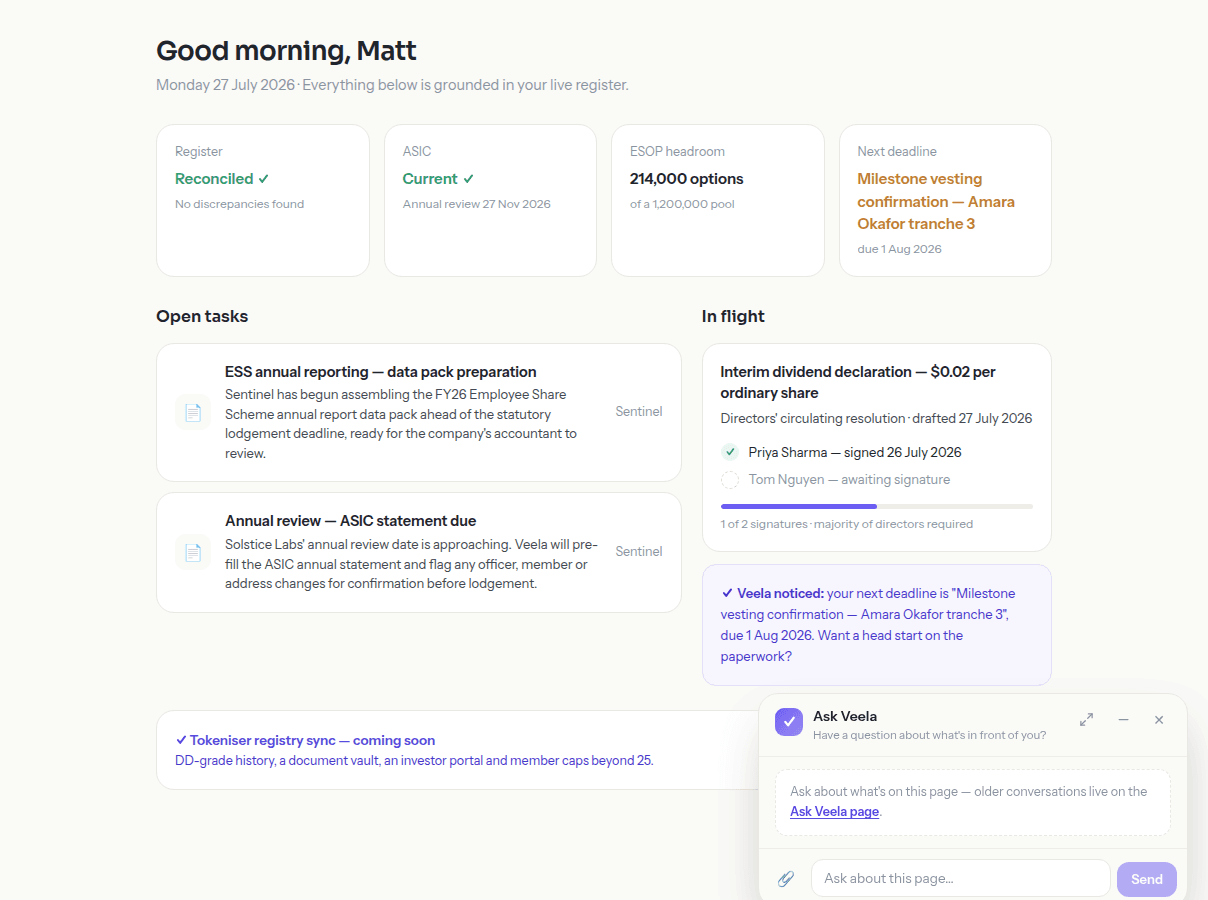
A contextual dock rides along wherever you are in the portal, and a full conversation lives at its own page — every answer grounded in your documents and the screen in front of you, cited to source, with actions you confirm rather than ones that just happen.
214,000 options remain unallocated in the 1,200,000 pool.
AI proposes · you confirm
Illustrative — Solstice Labs demo data
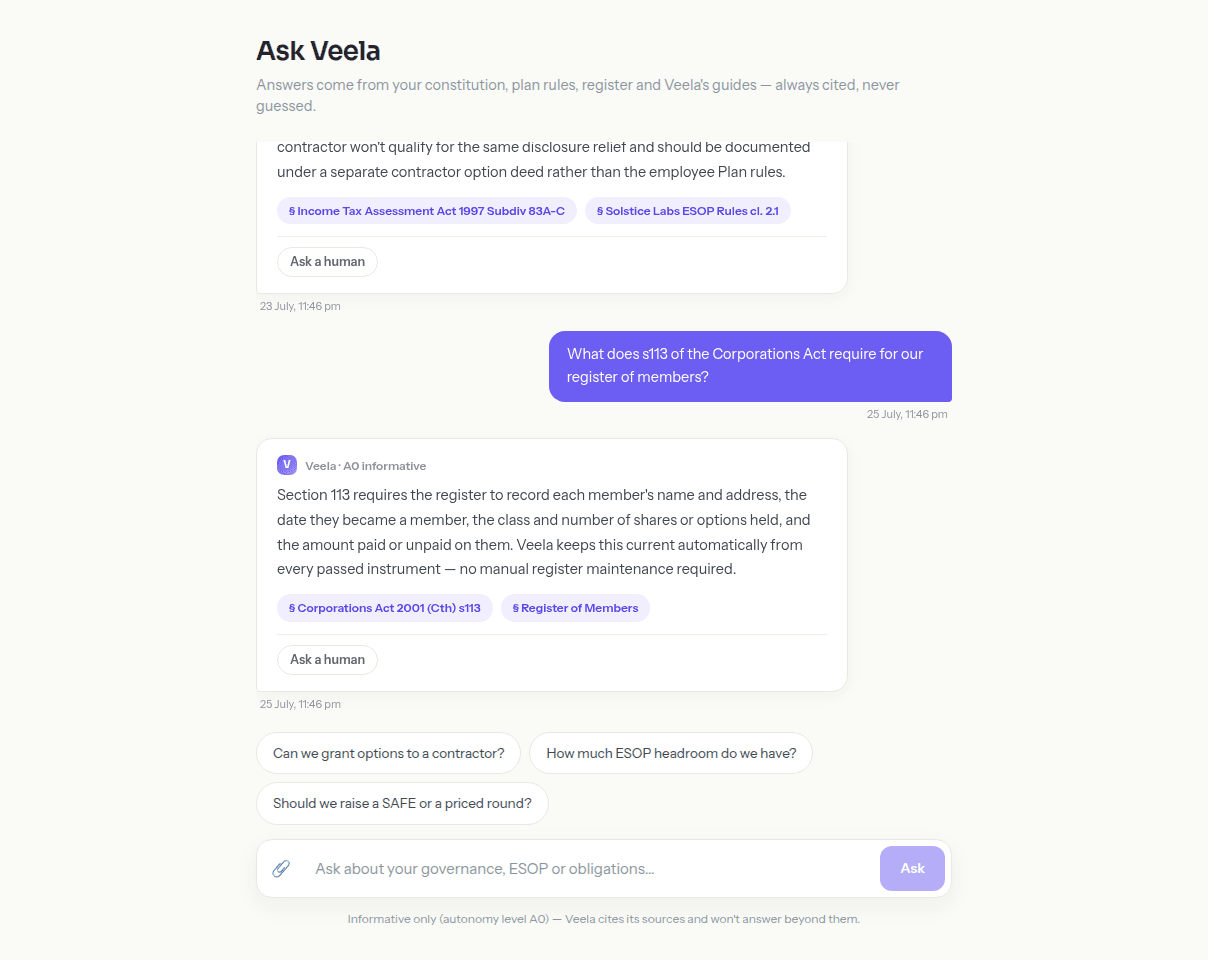
A full conversation, cited back to source
Ask Veela properly, on its own page, when a question needs more room than a quick reply — every answer comes back with citation chips pointing to the document or register entry it drew on, so you can check its working rather than take it on faith. $10 of usage is included every month on every plan, roughly 90 questions or two dozen drafted resolutions.
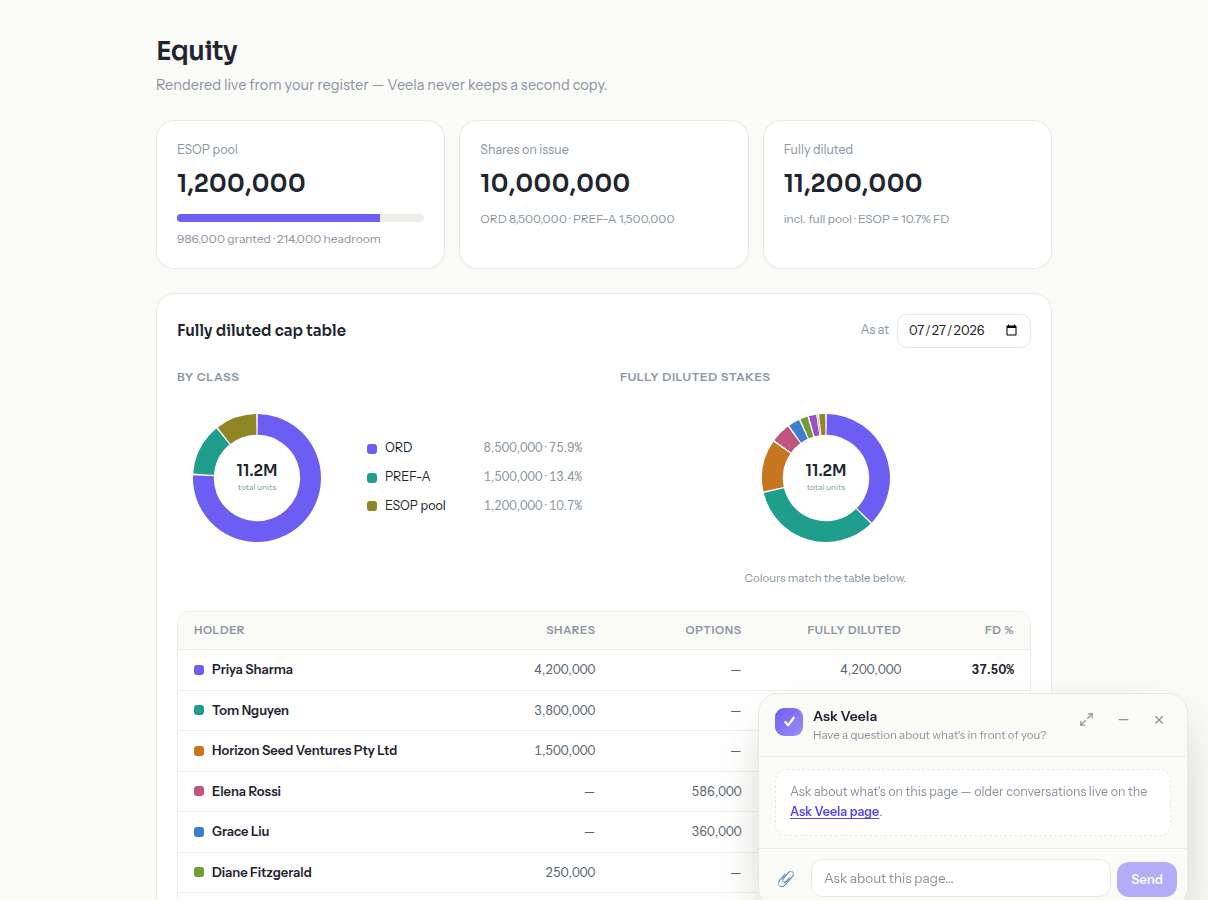
Wherever you are, it knows where you are
A contextual dock rides along on every portal page — open it over the cap table and it already knows you're looking at equity, open it on the dashboard and it already knows what's outstanding. You don't have to re-explain what you're looking at; the question and the page answer together.
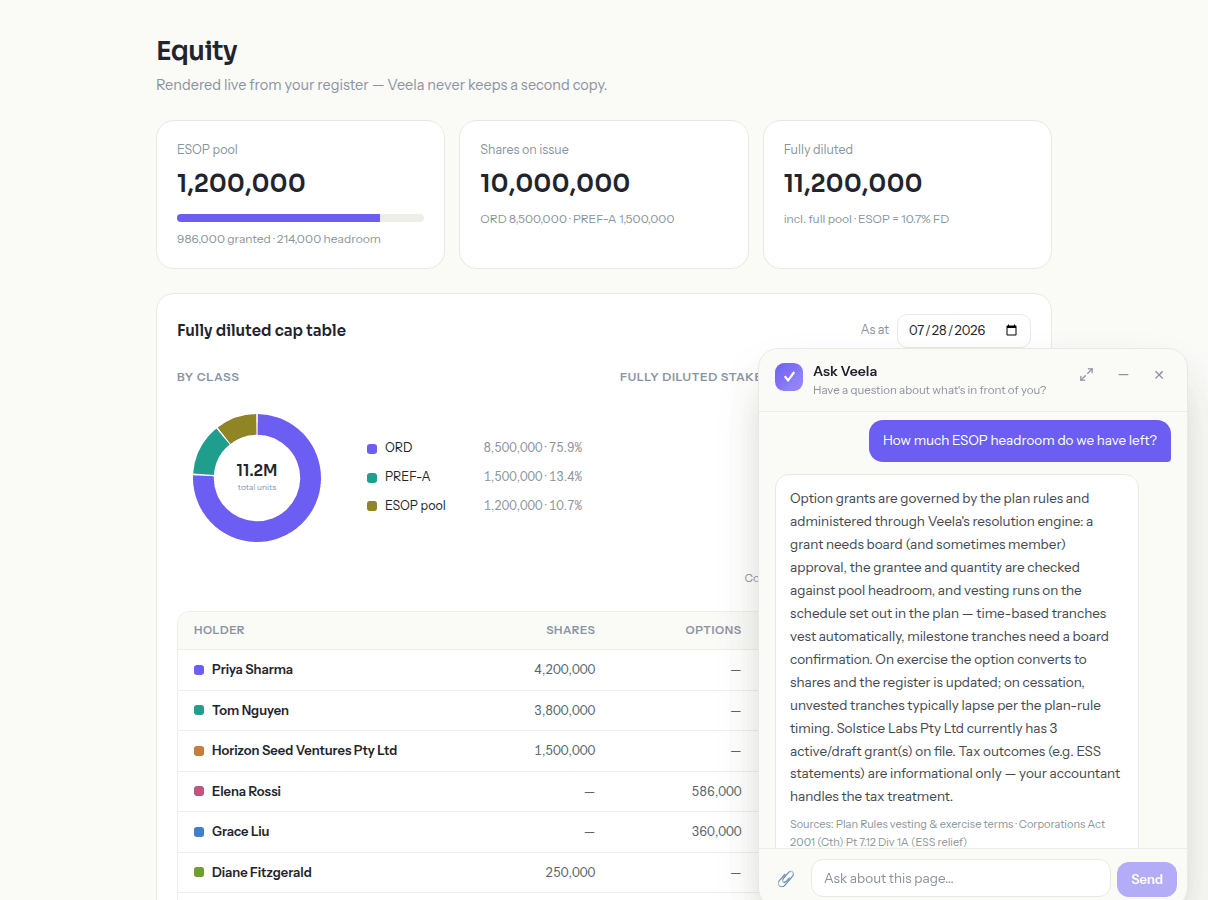
Every answer proposes, you decide
When the answer to your question is really an action — draft this resolution, mark this task done — Ask Veela proposes it rather than doing it. A click-confirmed action appears alongside the answer; you decide whether to take it. Nothing consequential happens on the strength of a chat reply alone.
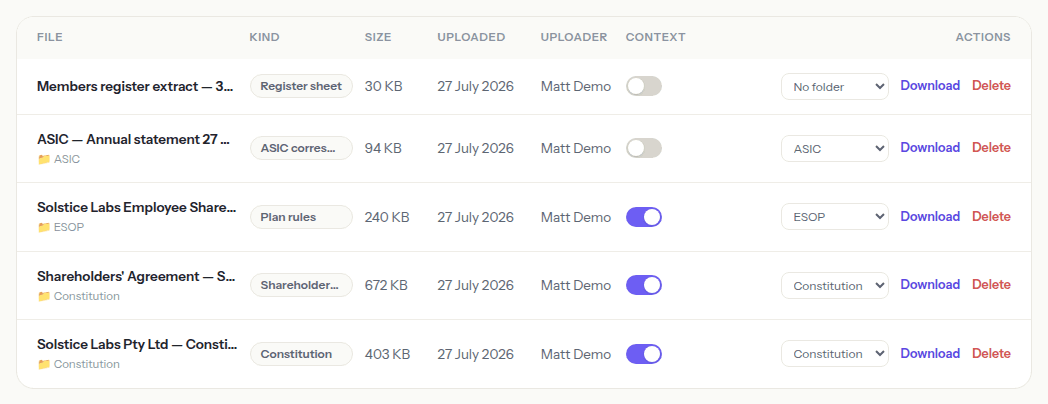
Grounded in the documents you choose
Your whole document library feeds Veela's working context — every document you mark runs through a background digest so its content grounds future answers, and you can name any document directly for its full text rather than a summary. Nothing is used to train a public model; it's there to answer your questions, and only yours.
Always open, and not just waiting to be asked
The dock is mounted once for the whole portal, not reloaded fresh on every page, so it's still open with your place kept as you move from the dashboard to the register to a draft. It opens by default on desktop and steps out of the way once you start scrolling, so it's there when you want it without sitting over what you're reading. It isn't only reactive, either — the dashboard surfaces what Veela has already noticed, like an approaching vesting confirmation, so you don't have to think to ask. A nudge is still a prompt, not an action — you decide what happens next.
- Mounted once for the whole portal — it persists as you move between pages, not reloaded each time
- Open by default on desktop, and out of the way once you start scrolling
- Surfaces what it's noticed unprompted — a nudge you can act on, not an action taken for you
Why this matters if you’re a Pty Ltd
Australian company law leaves a lot to the document in your own hand — your constitution's thresholds, your shareholders' agreement's class rights, your ESOP rules' vesting terms. A generic answer is close to useless when the real answer depends on a clause specific to your company. Ask Veela reads your actual documents and register, and says which clause it's relying on.
Cites the clause, not just a guess
An answer names the actual clause in your constitution or shareholders' agreement it drew on, not a generic explanation — because every Pty Ltd's governing documents are its own.
Knows your annual review date and ASIC deadlines
Ask when your company's annual review date falls, or what ASIC's 28-day window for notifying company changes means for something you're planning, and get an answer grounded in your own record.
ESS reporting to the ATO, explained upfront
Option grants often carry ESS reporting obligations to the ATO. Ask before you grant, and Veela tells you what applies to this grant, on your plan rules, before anything is drafted.
Not sure? Just ask Veela
This whole page is about Ask Veela, but the point holds everywhere else too: whatever you're unsure about — a clause, a deadline, a number on the cap table — ask before you act. It's grounded in your own documents and register, cited to source, and included every month on every plan.
- “What does our shareholders' agreement say about drag-along rights?”
- “When is our company's annual review due this year?”
- “Do we need to report this ESOP grant to the ATO?”
- “Who are the current signatories for a directors' resolution?”
- “How much headroom do we have left in the option pool?”
Keep exploring
Members, options, class rights and convertibles, kept current automatically as resolutions pass.
Read more →A cap table you can interrogate — time travel, exit waterfall and raise modelling that never touch the register.
Read more →Personal signing links with no accounts to create, and an immutable minute book that fills itself.
Read more →See it running on your own facts
Start free for 7 days, or try the no-signup sandbox first — same platform, illustrative data.